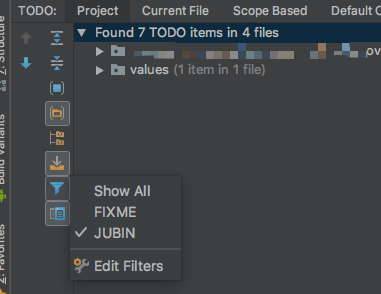
TODO In Android Studio
There is a tool window named TODO in Android Studio, from which we can find all ‘TODO’ tags in our project. Besides the built in TODO and FIXME tag, Android Studio provides us with custom tags.
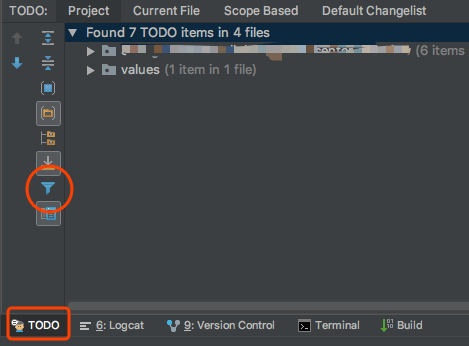
How to add custom TODO tags
Open TODO window, click “filter” button -> “Edit Filters” and an “Add Pattern” dialog will show.
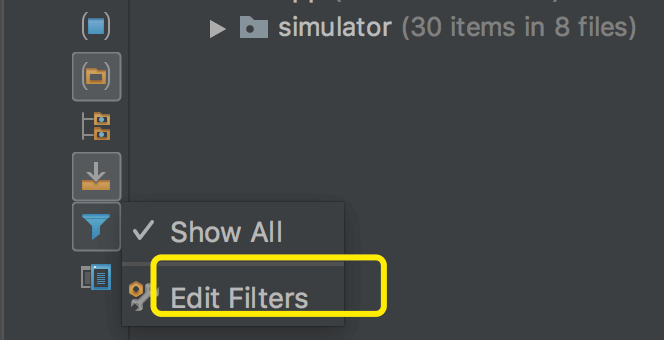
Click “+” button and add custom TODO tags in the popup.

Change the regex in Pattern, and you can also replace default color scheme with custom colors.

Custom filters
In the same popup shown in step 1, click “+” in Filters panel.
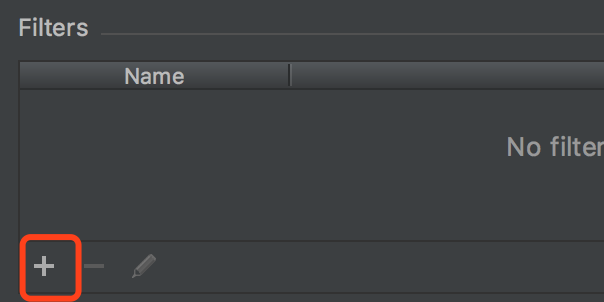
Input filter name and select patterns.
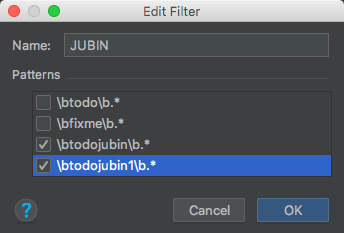
Use custom Filters
Those custom filters will show in popup after click “filter” button in TODO window.